How do I create a profile for a member?

3 options to create members in SportMember


- You can create your members individually in SportMember (this guide)


- You can invite your members via e-mail. You can find detailed instructions HERE


- You can import your members via Excel. This is especially useful for importing many members at once. You can find detailed instructions HERE
Open the team you want to create a member to

  1. Click on  Team 
  2. Chose the team you want to create a member to
  3. Click on  Members in the bottom overview
  4. Click  in the bottom right corner
  5. Chose + Add player/coach
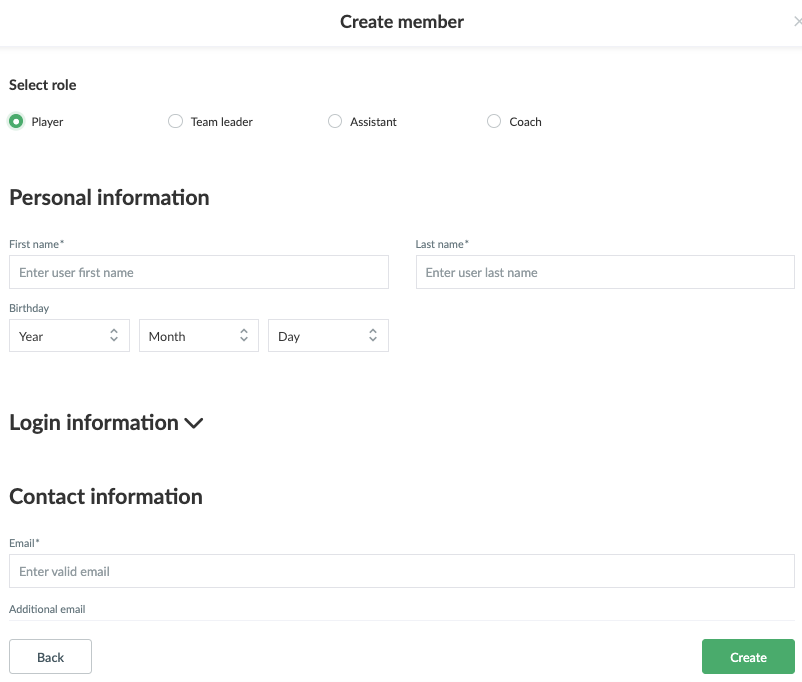
  6. Fill out informations about the member
    a. The required fields are: First Name,  Last name, E-mail, User name and Password
  7. Then click on Create and the member will receive an e-mail with which he/she can log in.

Open Members of the club and Import members

  1. Click on   in the top left corner
  2. Click on MEMBERS
  3. Click on the green Create Member button on the right of the screen
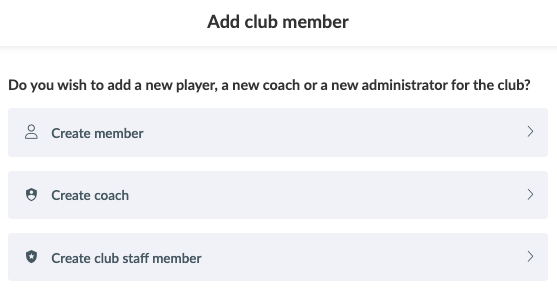
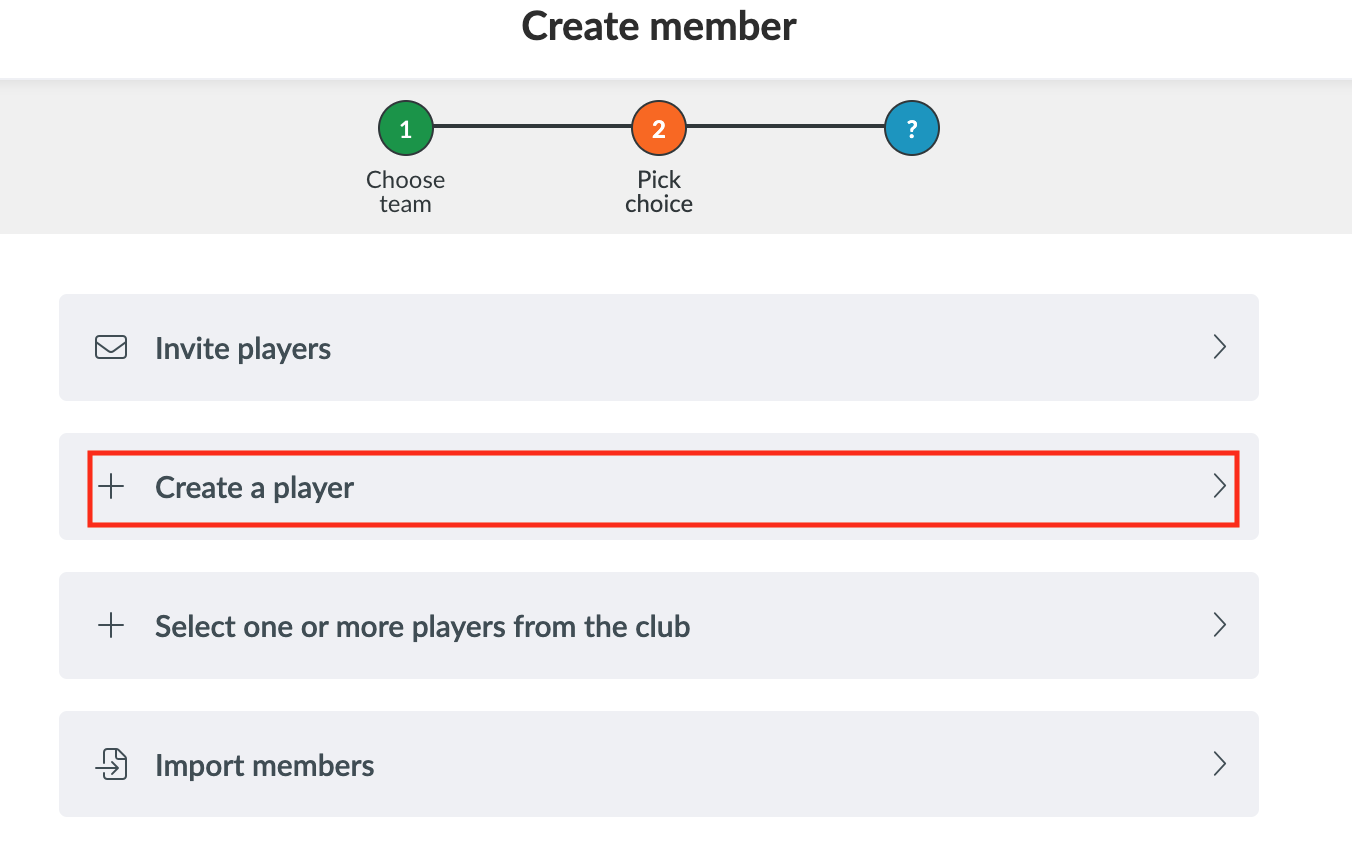
  4. Click on Create member and select the team in which you want to create a member and click on  pick

Then you can choose between three options to create the members. Choose + Create a player


Then you will be asked to enter some information about the member.


The required fields are:

  • First Name, 
  • Last name, 
  • E-mail

Then click on Create and the member will receive an e-mail with which he/she can log in.

Var denna artikel hjälpsam?
0 av 1 tyckte att det här var hjälpsamt

Är du redo att börja?

Utforska SportMember, eller skapa ett konto nu och börja hantera din klubb. Du kan också kontakta oss för att få hjälp med att starta din klubb.
Vad kostar det?
Vilka är klubbens behov? Basic- eller PRO-prenumeration?
Priser
Funktionsoversigt
Ingen klubb är den andra lik. Våra funktioner täcker dina behov.
Funktionsoversigt