How can I register (un)excused absences?
It is possible to record absences within the activity. To do this, open the activity in the (team) calendar as usual.
- Go to Calendar on the button menu
- Select the relevant activity
- Press in the button to the right and Handel absences
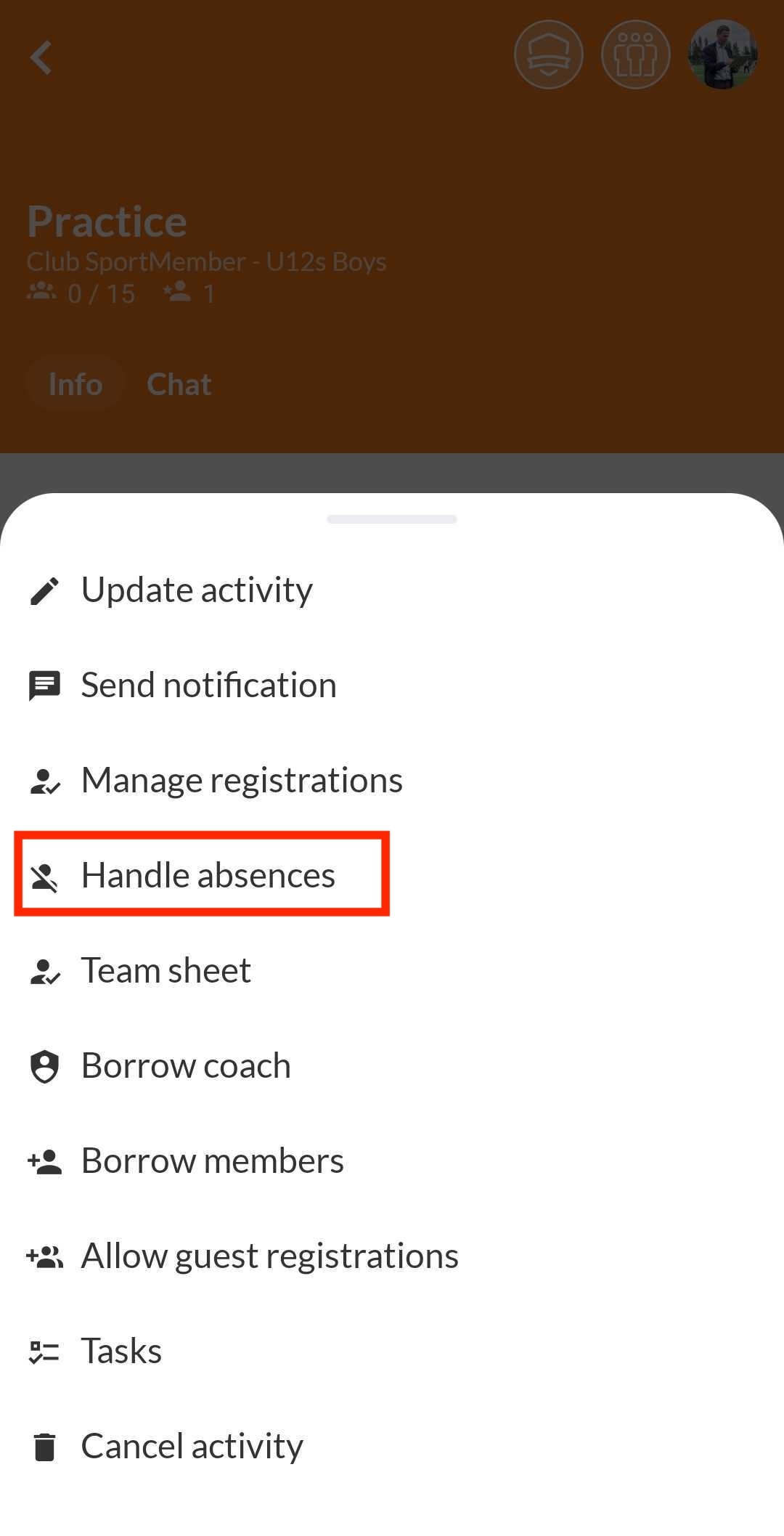
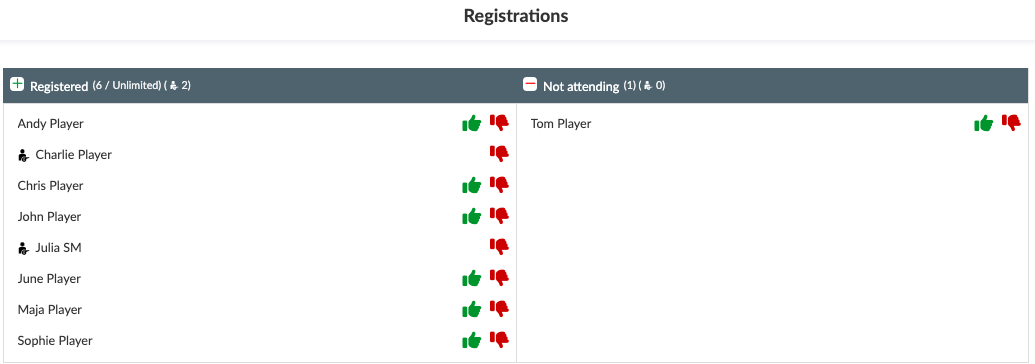
You will then be able to press the green icon for excused absence and the red icon for unexcused absence.
- Click on the members who were not at the activity on or
- Enter a comment to record the reason for absence (optional)
- Click on Save
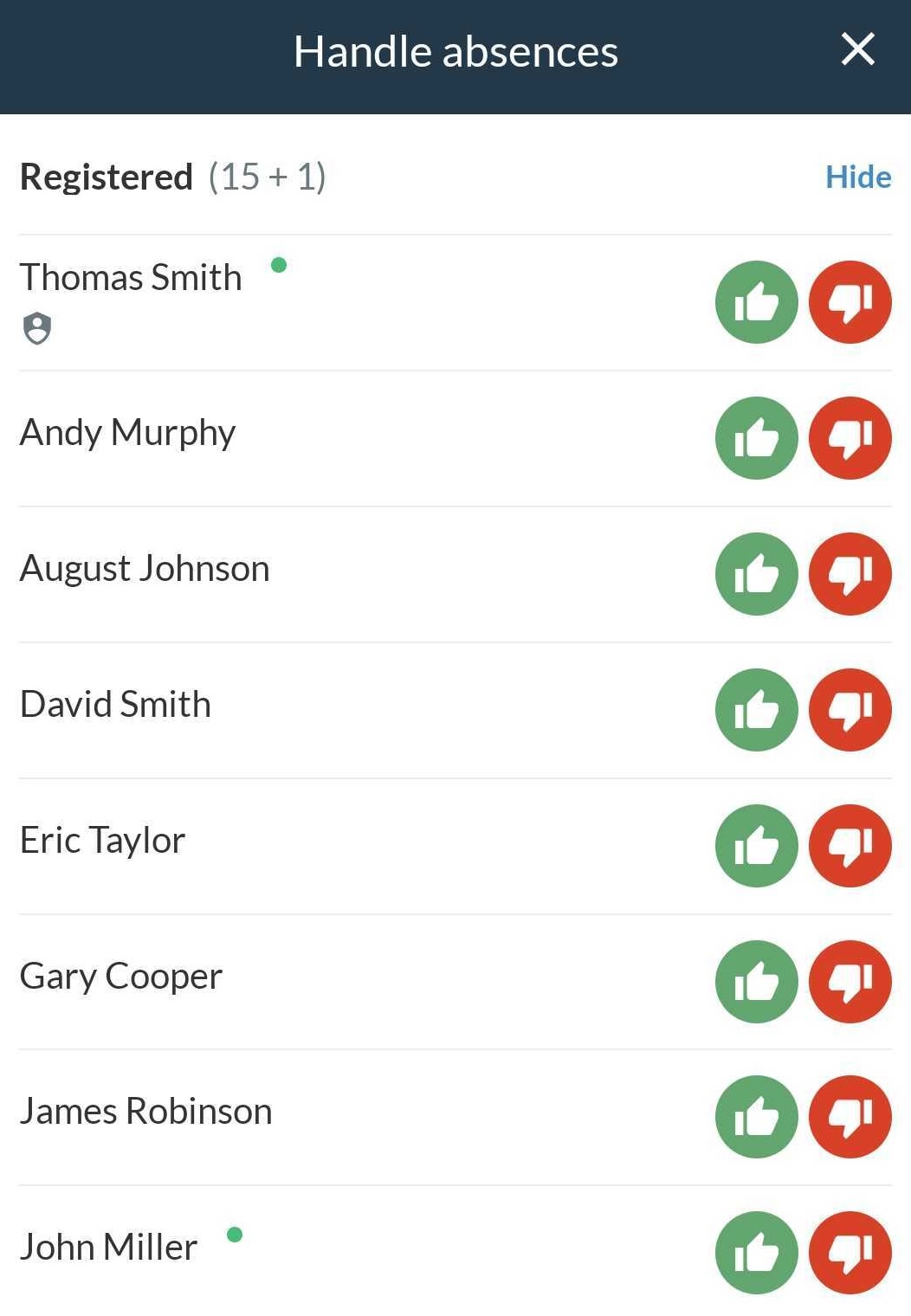
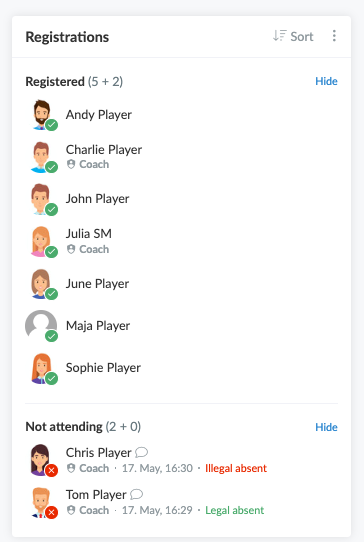
The comments will then be displayed in the activity.
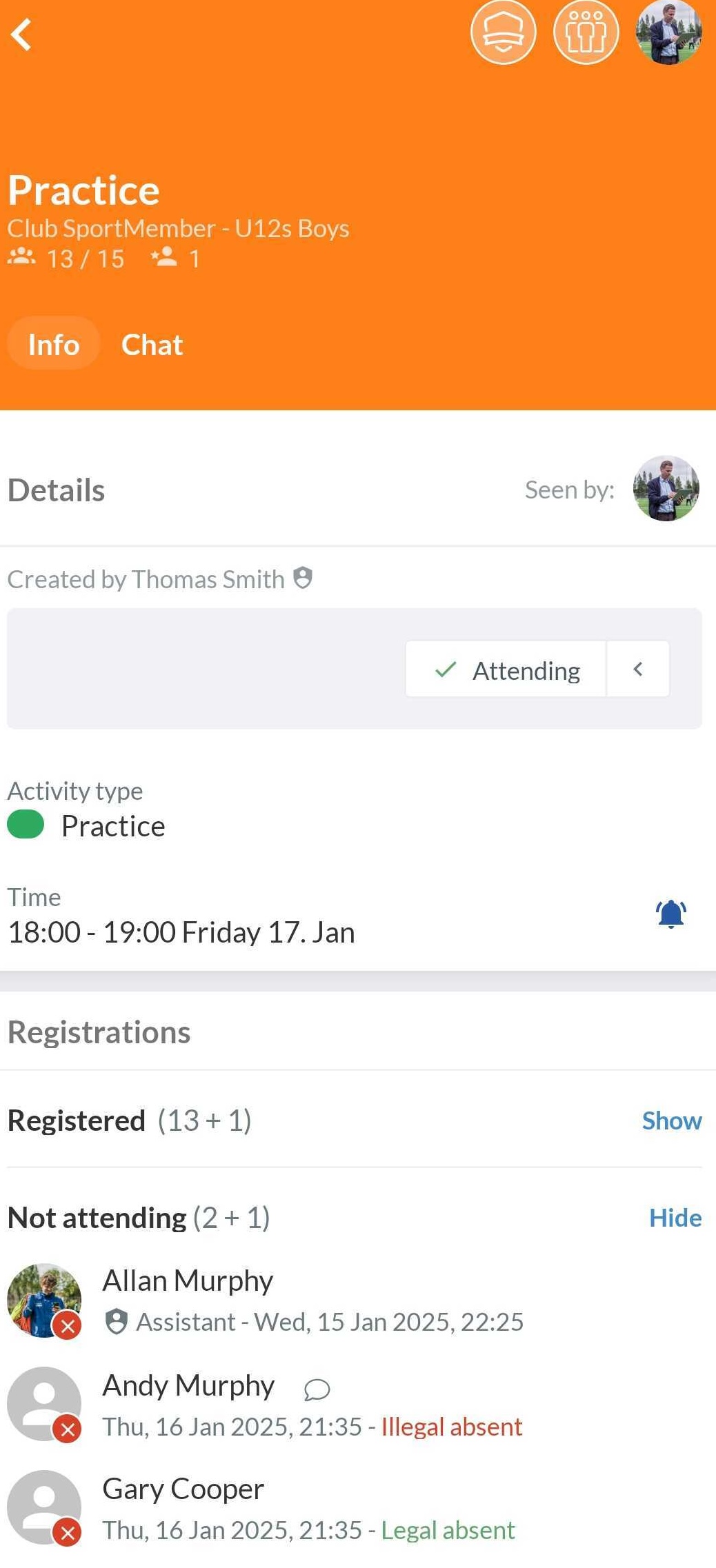
It is possible to record absences within the activity. To do this, open the activity in the (team) calendar as usual.
- Go to Calendar on the left side of the screen
- Select the relevant activity
- Click on to the right of Registrations
- Choose Handle absences
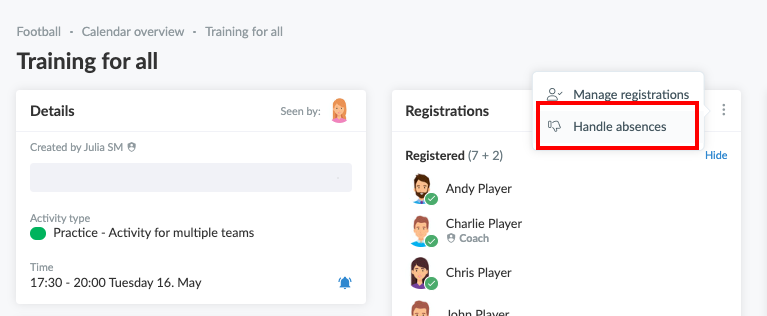
A pop-up window will open where you can click on the green icon for excused absence and the red icon for unexcused absence.
- Click on the members who were not at the activity on or
- Enter a comment to record the reason for absence (optional)
- Click on Save
The comments will then be displayed in the activity.
Var denna artikel hjälpsam?
0 av 1 tyckte att det här var hjälpsamt