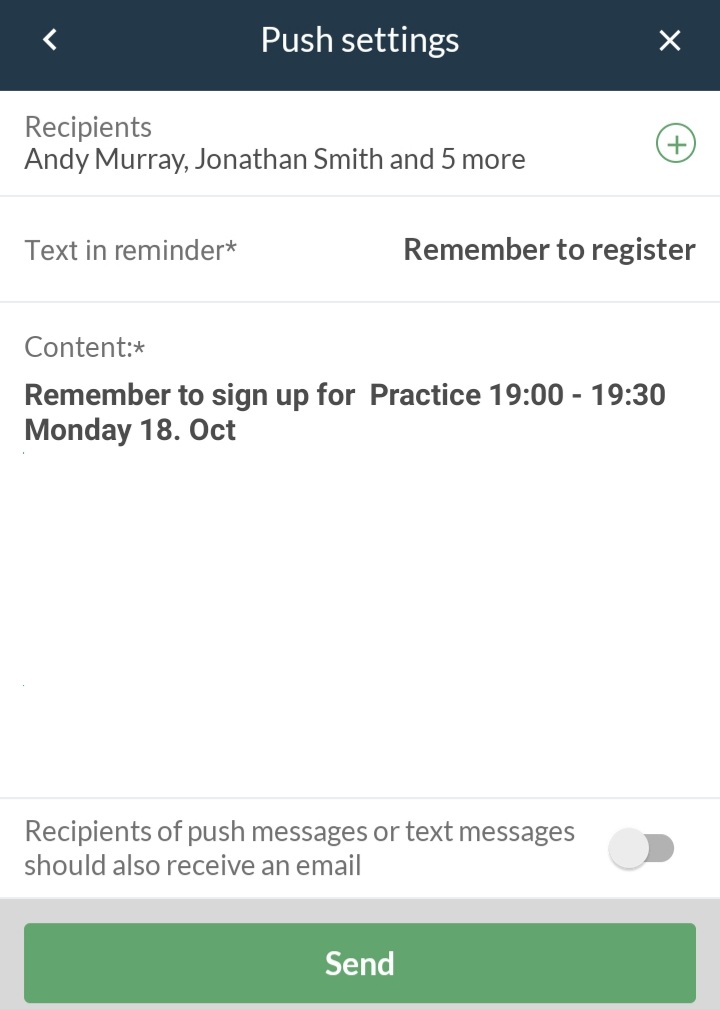
For push notifications, there are always two ways to get in touch with the team.
One is automatic a few days before the activity takes place, and the other is manual at any time.
Send push notification as automatic reminder
Create activity or edit activity and click Advanced at the top when creating/editing it
Find Reminders where these two options are available:
Reminder 5 days before the activity
Reminder 2 days before the activity
By default, No reminder is turned on, but you can choose one of these:
Send to all
Send to not stated
Send to registered
Send to registrants, assistants and coaches
Once this is selected, click on the green Create/Save button at the bottom.
Push notifications are now automatically sent to the given persons 2 and/or 5 days before the activity takes place.
Note: The individual member/parent profile can desactivated automatic push notifications in their profile settings. In this case, these automatic push messages will not be received.
Send a push message manually
Access the activity via or at the bottom of the screen
Press at the bottom right
Press Send notification
Press Push notifications
Select recipients (member colours or All recipients, if applicable)
Write short text or choose template
Select Send emails to recipients of push notifications if applicable
Finish with the green Send button
Det finns inget svar på den här frågan som gäller användningen av SportMember från en dator.