PRO

How do I create departments in the club?

What is a department?

- A grouping of teams, for example year groups, sports or otherwise teams that have something to do with each other.


- The advantage is that you can communicate activities at department level. That means sending emails to the whole department, or creating activities for all teams in the department at once.
Det finns inget svar på den här frågan om användningen av SportMember från appen.


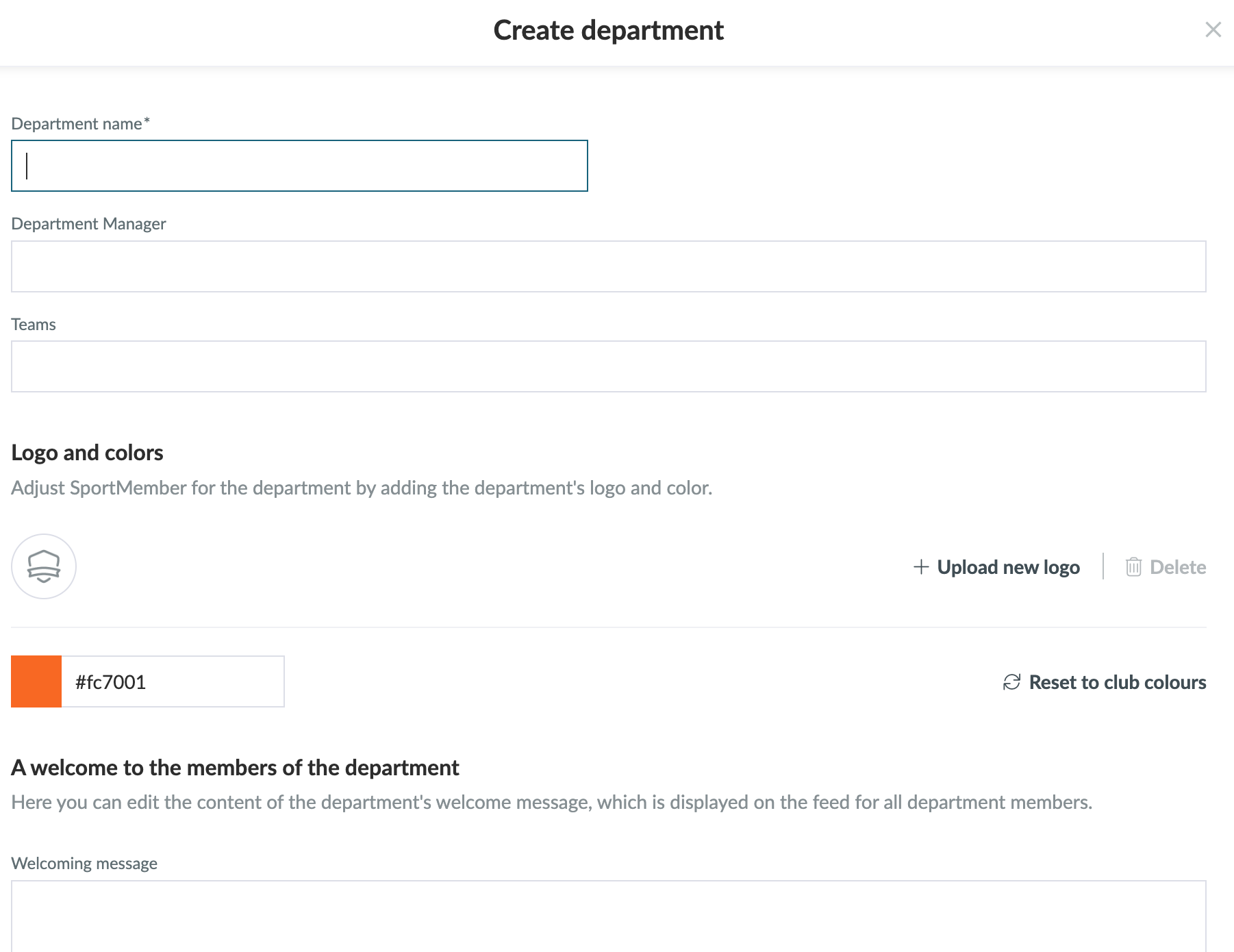
Open Departments in the club and Create department

  1. Click on   Club in the top left corner
  2. Click on  Departments
  3. Click on the green Create department button on the right of the screen
  4. Enter the name of the department
  5. Select a department manager
  6. Then, add the teams that belong to the department
  7. You can optionally customize the department by adding a logo and choosing a colour
  8. You can also optionally add a welcome message, which will be displayed in the department members' news feed
  9. Click on Save


TIP: A department manager can be anyone in the club.
This person has access to the teams associated with the department. So he/she can create activities/communicate with the team even if he/she is not on that team.

Var denna artikel hjälpsam?
0 av 105 tyckte att det här var hjälpsamt

Är du redo att börja?

Utforska SportMember, eller skapa ett konto nu och börja hantera din klubb. Du kan också kontakta oss för att få hjälp med att starta din klubb.
Vad kostar det?
Vilka är klubbens behov? Basic- eller PRO-prenumeration?
Priser
Funktionsoversigt
Ingen klubb är den andra lik. Våra funktioner täcker dina behov.
Funktionsoversigt