PRO

How do I create a season?

What are seasons used for in SportMember?

- Seasons allow the club to plan and manage registrations, members, and activities for each season


- You can decide for yourself how existing members are handled at the start of a new season—either through automatic renewal or by re-registering.


- You gain greater flexibility and a better overview of registrations, members, and team administration.
Det finns inget svar på den här frågan om användningen av SportMember från appen.

Go to Teams & Departments and Seasons

1. Create a season

  1. Go to Teams & Departments and Teams
  2. Next, click on More, Seasons, and Add Seasons
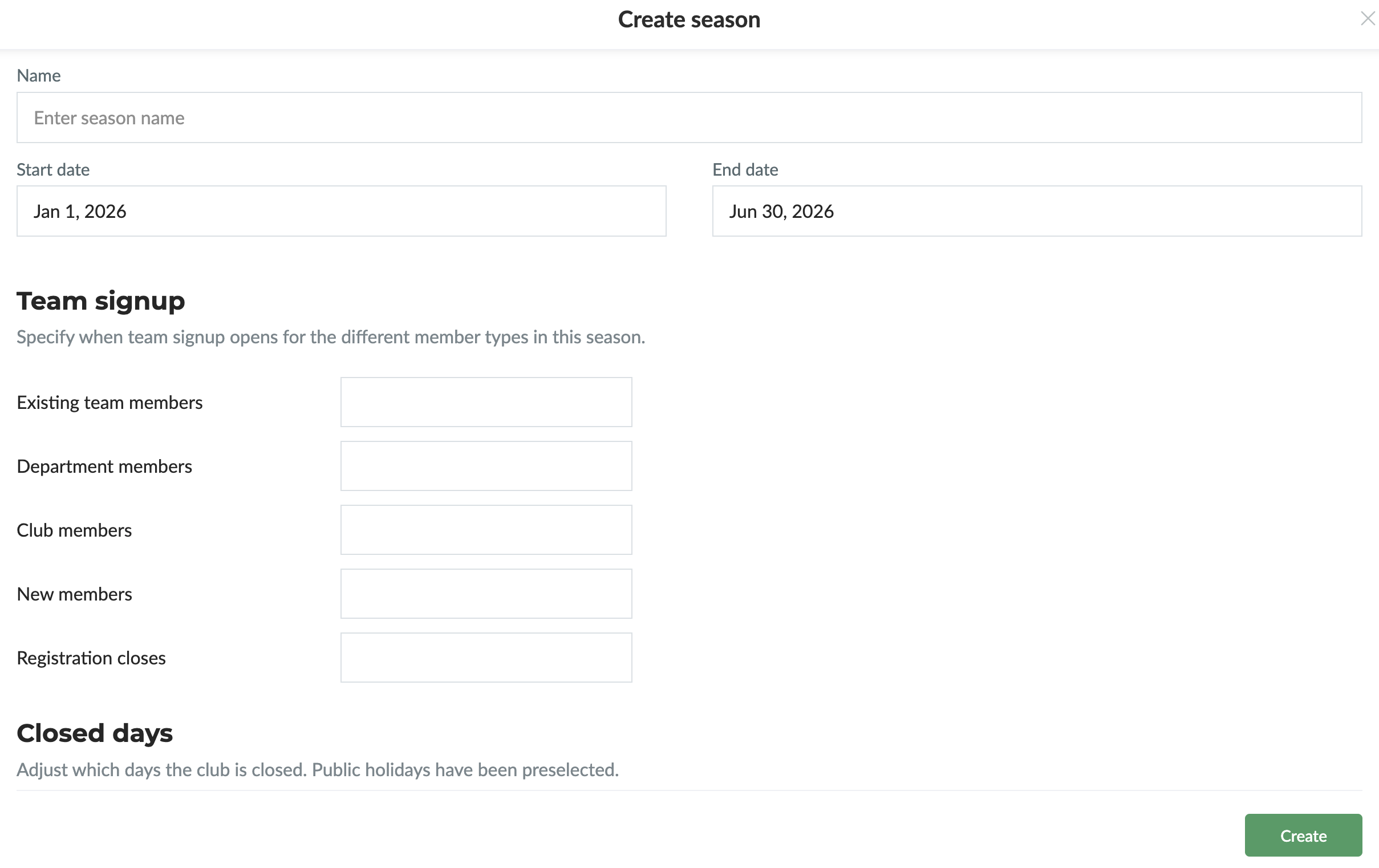
  3. Enter the season’s name, dates, and registration settings
  4. Finish by clicking on Create


Once the season is created, it can be applied to an existing team (by editing the team) or to a new team:

2. Create a team with the season

  1. Go to Teams & Departments and Teams
  2. Next, click on Create Team and the green button Create team
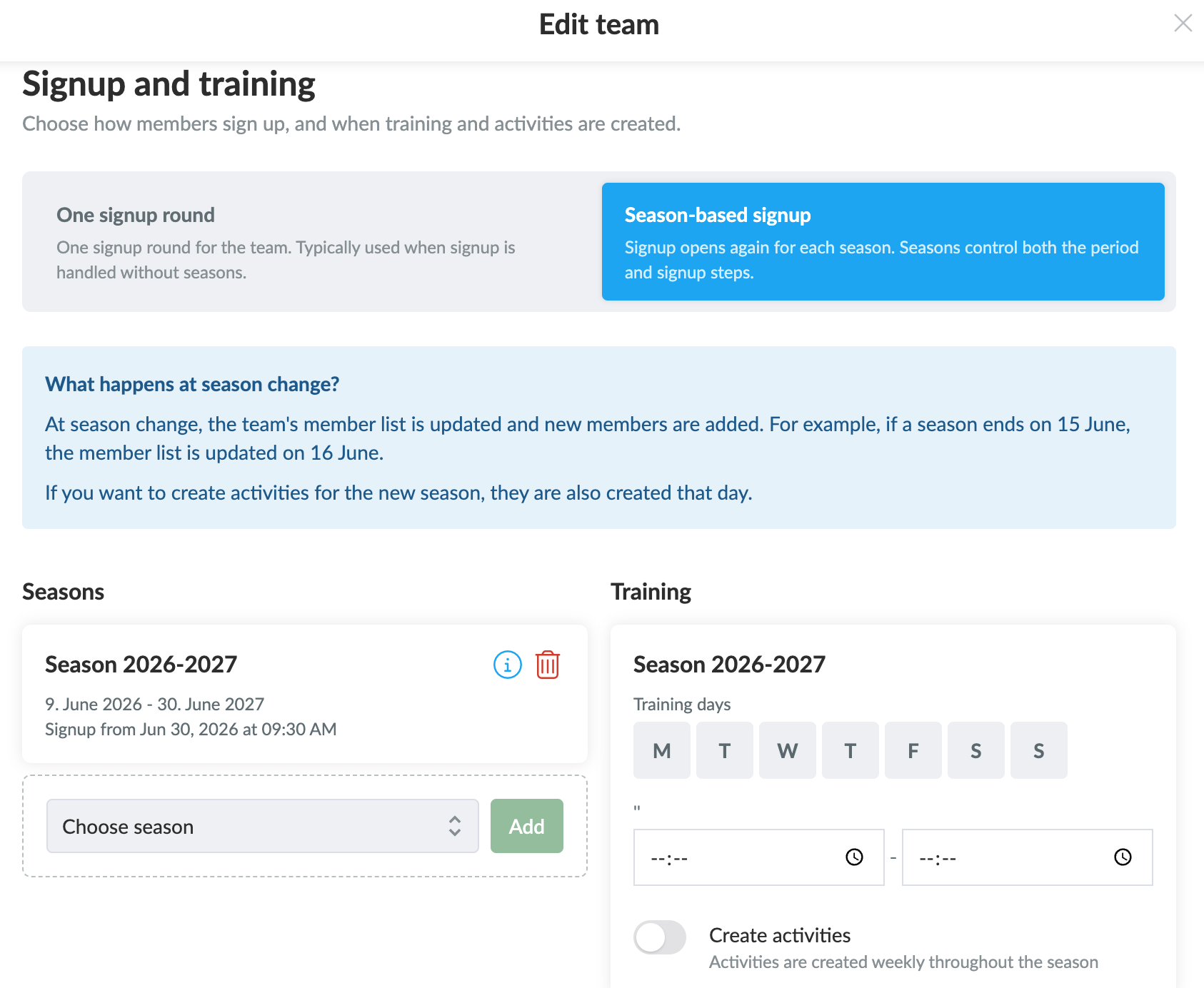
  3. Fill in the team information and select Season-based signup
  4. Then select the desired season (which was created in step 1)


    Once the season is selected, you can configure the season directly on the team:

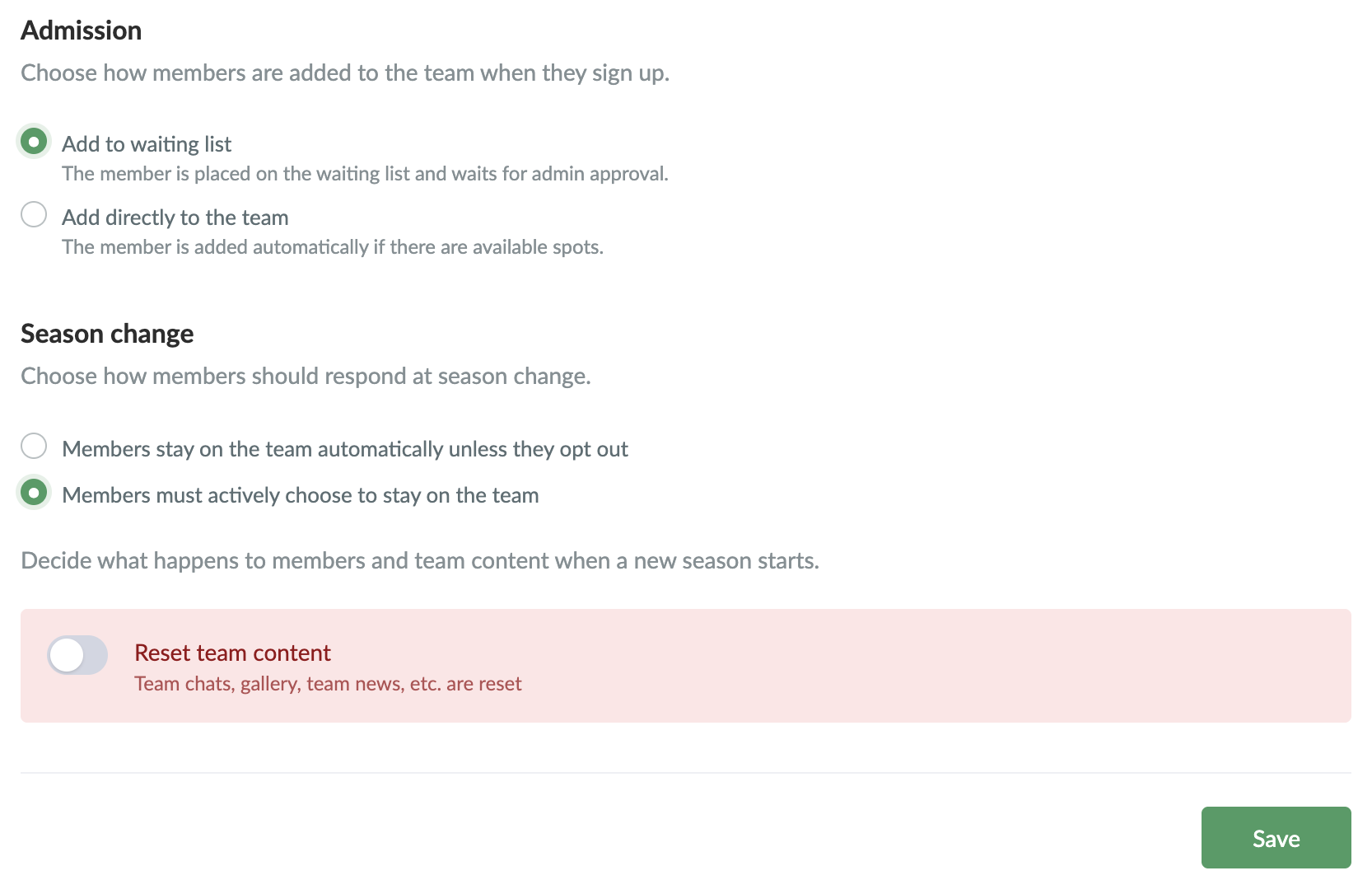
  5. Select how new members are added to the team upon registration:
    a. Add to waiting list - an admin must then approve the member for the team
    b. Add directly to the team
  6. Next, choose what should happen at the end of the season:
    a. Whether the team’s content should be reset at the end of the season – Resetting removes, among other things, the team chat, gallery, and team news.
    b. Whether existing members should automatically remain on the team
    c. Whether existing members have to actively sign up for the next season
  7. Finish by clicking on Save


Note: You can schedule the team’s training days when creating the team. SportMember automatically creates activities for the entire season at the start of the season.

Where can club members sign up?

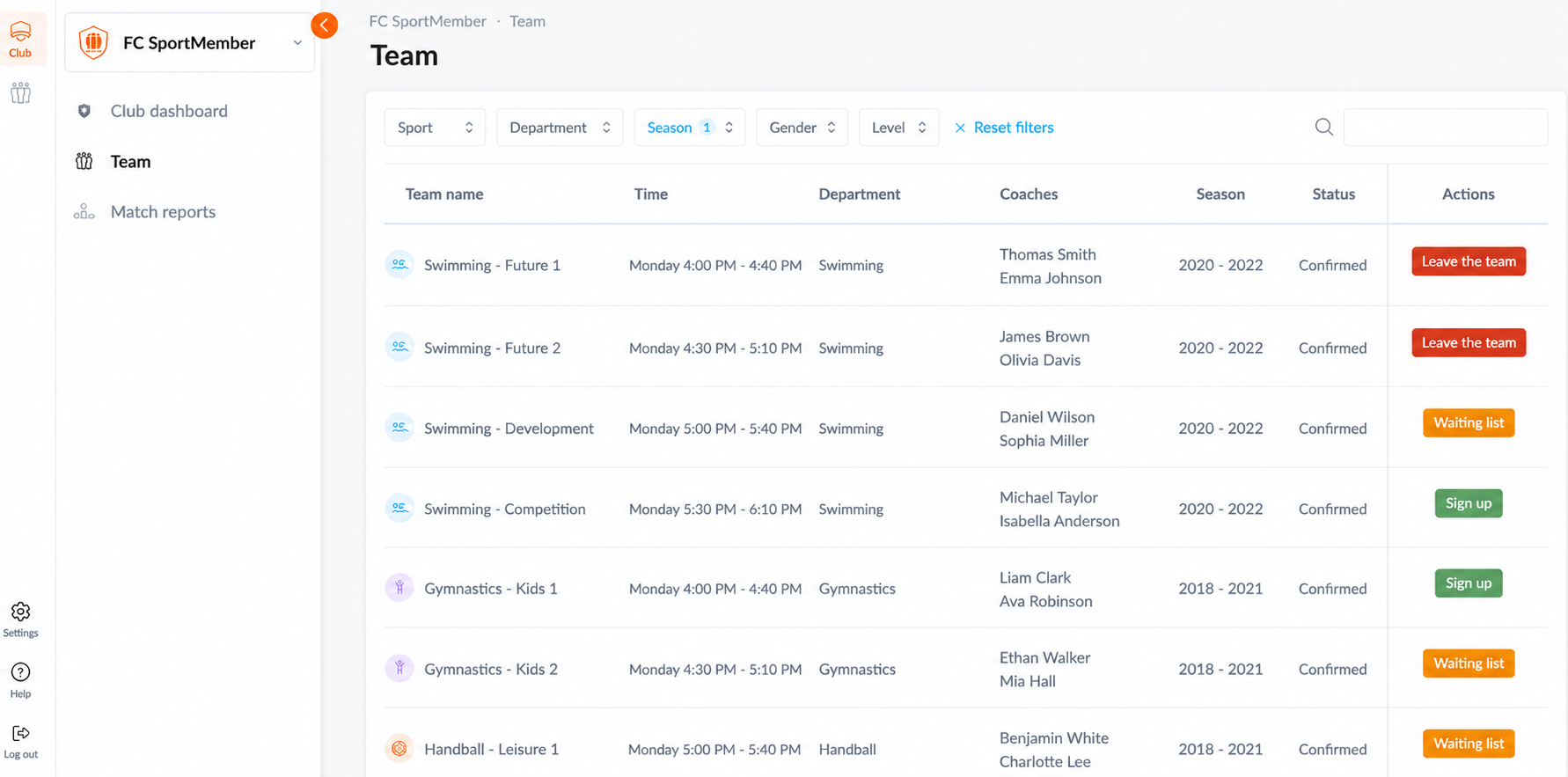
Club members can view a list of teams open for registration under   Club and then on Teams

Depending on the season setup, members will see the following options:

a. Sign up: The member can sign up for a new team or sign up for the upcoming season on an existing team.
b. Leave team: The member can leave their current team.
c. Sign up to waiting list: If the team is full, the member can join the waiting list. The member will automatically receive an email if a spot becomes available on the team.

Var denna artikel hjälpsam?
0 av 0 tyckte att det här var hjälpsamt

Är du redo att börja?

Utforska SportMember, eller skapa ett konto nu och börja hantera din klubb. Du kan också kontakta oss för att få hjälp med att starta din klubb.
Vad kostar det?
Vilka är klubbens behov? Basic- eller PRO-prenumeration?
Priser
Funktionsoversigt
Ingen klubb är den andra lik. Våra funktioner täcker dina behov.
Funktionsoversigt