It is possible to manage more than one club in one profile with SportMember. To do that, you need to create a second club with your profile. With a little trick that is explained below, this is easy enough to do.
How to create a second club
Det finns inget svar på den här frågan om användningen av SportMember från appen.
In order to create a second club, you need to start by creating a team that does not belong to your already existing club.
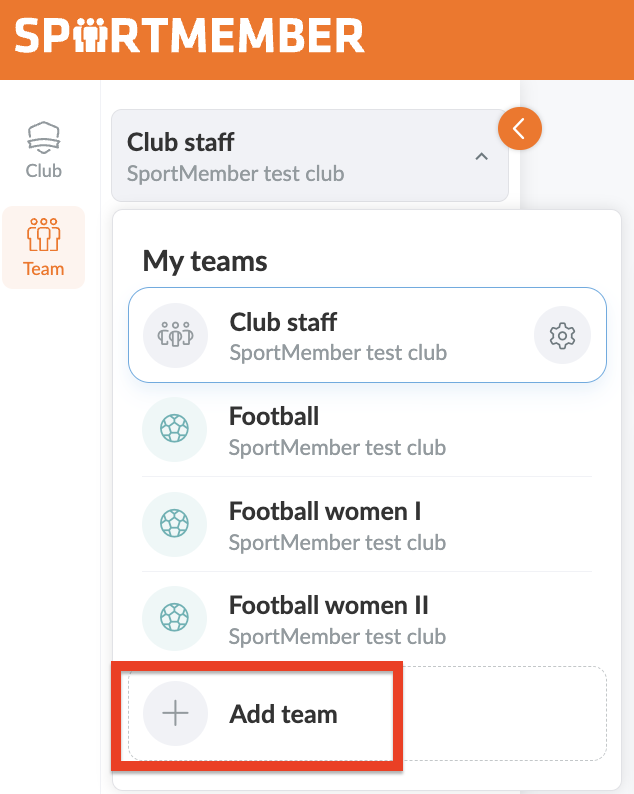
1. Go to Teams and open your teams
2. Click on + Add team
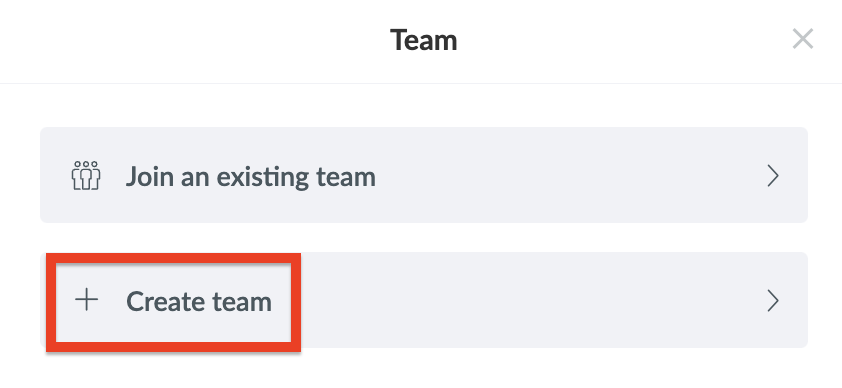
3. Click on + Create Team
4. Put in all required information
5. Disable the checkmark "The team is a part of <<YOUR CLUB>>"
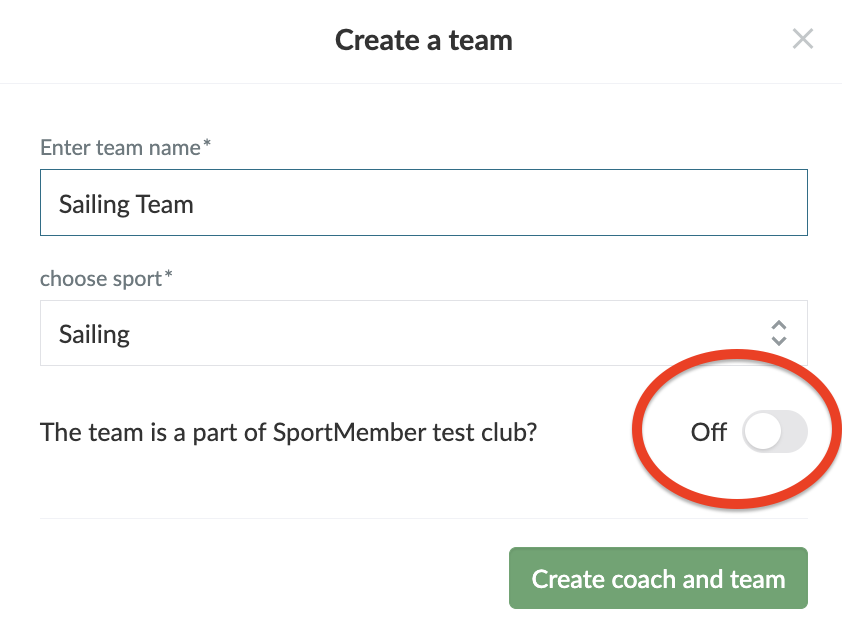
ATTENTION: disabling the checkmark is important!
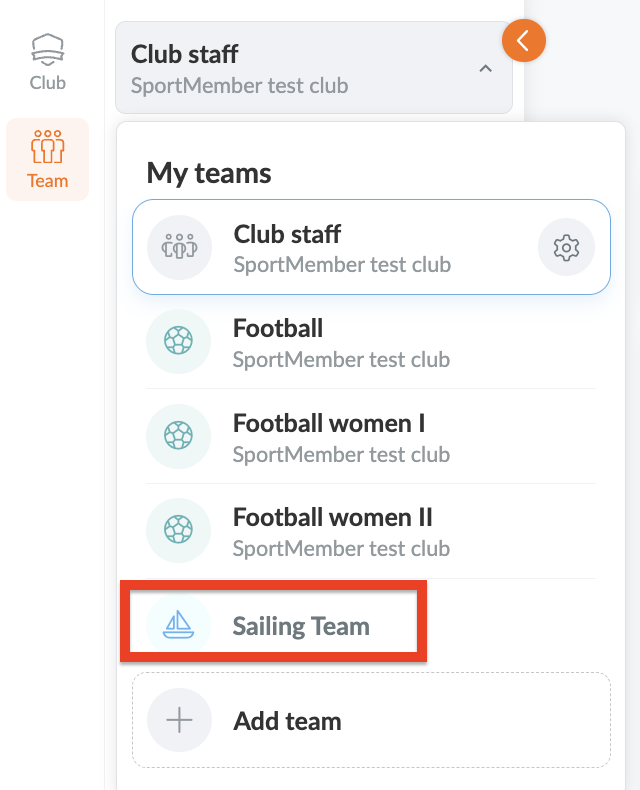
6. Choose the newly created team in the team overview
7. Go to the Club level
8. Click on the Club overview
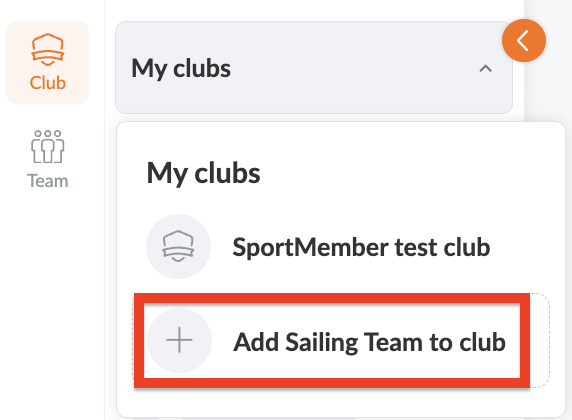
9. Choose + Add << NEW TEAM >> to club
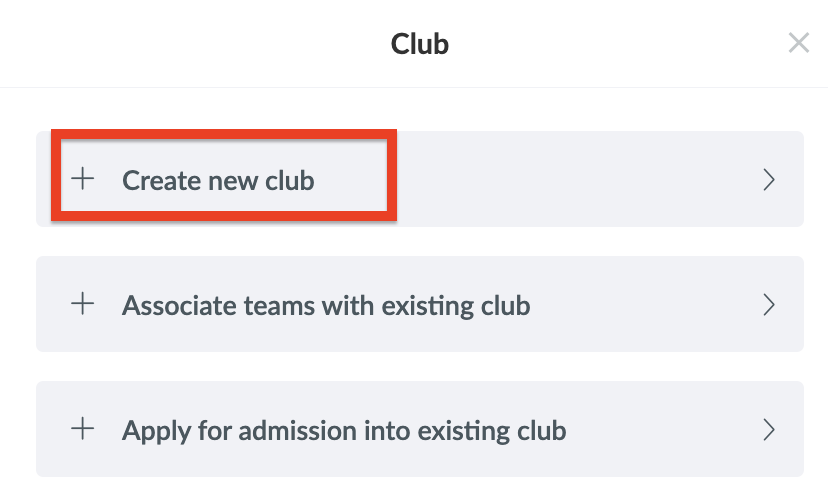
10. Choose + Create new club
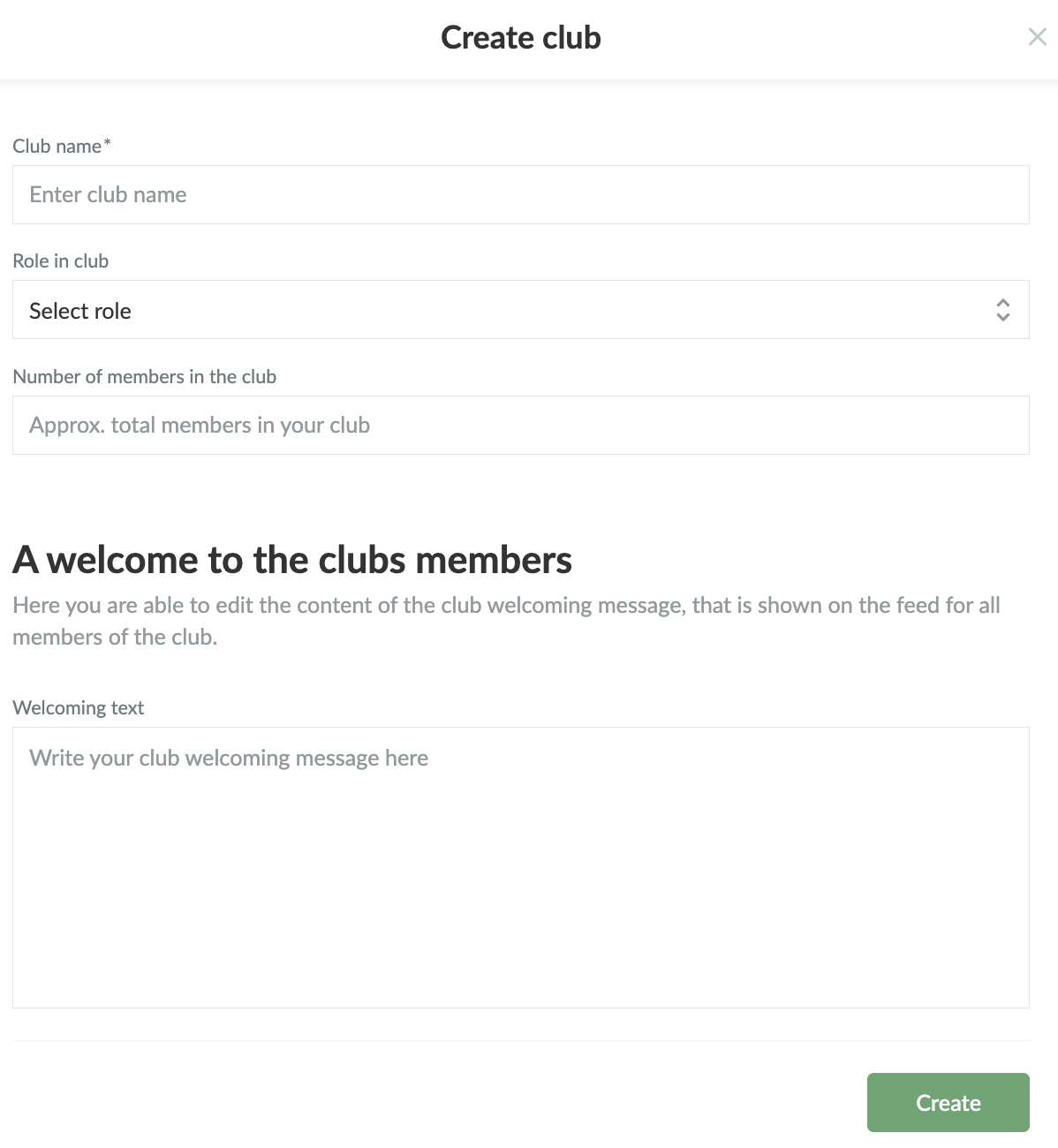
11. Put in all the necessary information for your new club and then press Create.
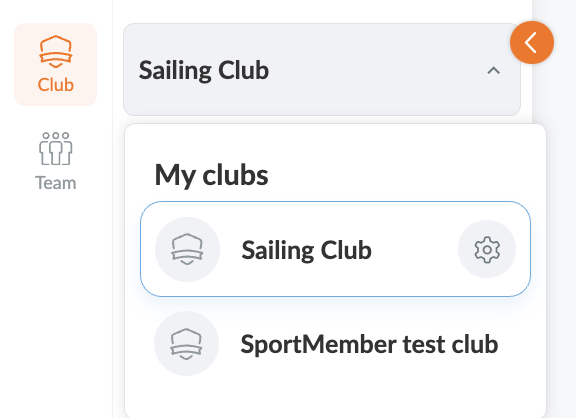
Now you can switch back and forth between the clubs via the club overview!
Var denna artikel hjälpsam?
2 av 3 tyckte att det här var hjälpsamt