PRO

How do I upload sponsor banners?

What can I use sponsor banners for?

- Upload unlimited banners to be displayed to everyone in the club across platforms (PC/tablet/mobile)


- Sponsor banners/club banners/advertise upcoming events etc.


- Increase exposure, visibility and help improve revenue for your sponsors

Det finns inget svar på den här frågan om användningen av SportMember från appen.


Open Club Overview and Banner Management

  1. Click on  Club on the top left
  2. Click on  Banner management 
  3. Click on Upload banner at the top right of the screen
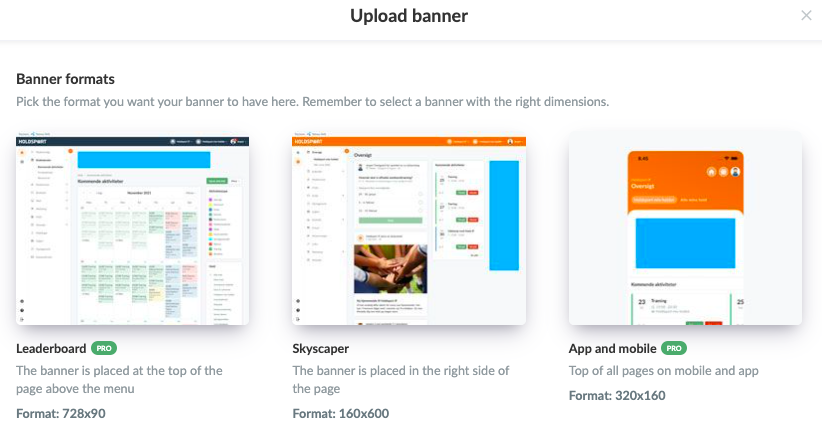
  4. Insert file in one of these 3 formats:
  • Leaderboard:
    • Banner placed at the top of the page, which can be seen when using a computer
    • MUST be 728x90 pixels
  • Skyscraper:
    • Banner located on the right side, which can be seen when using a computer
    • MUST be 160x600 pixels
  • App and mobile:
    • Banner displayed on mobile
    • MUST be 320x160 pixels

Note: All formats can be of the file types JPG, JPEG, PNG, GIF or SWF
Note: All formats can be of the file types JPG, JPEG, PNG, GIF or SWF
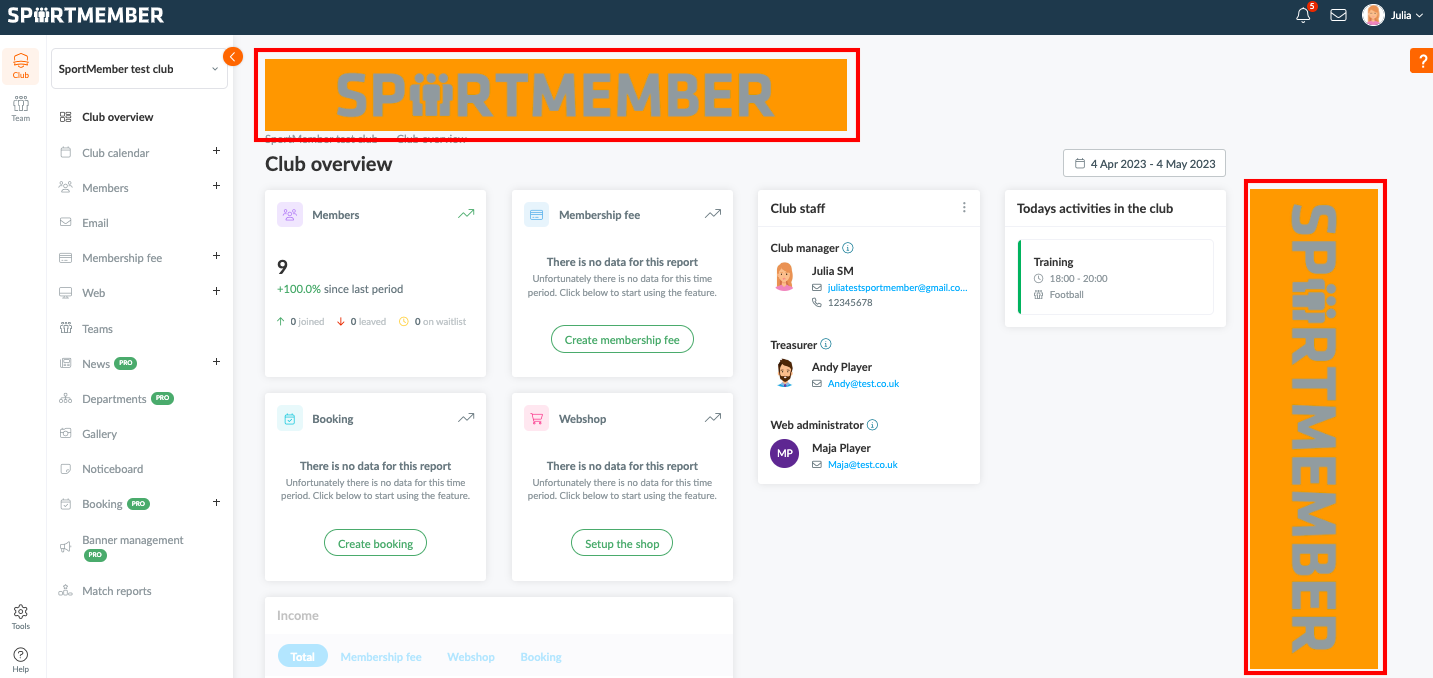

Here's how both computer banners are displayed at the top/side, regardless of whether you are a club administrator, member, player or parent

  • TIP: Any number of banners can be uploaded, which will then be displayed equally to all members of the club.
Var denna artikel hjälpsam?
0 av 0 tyckte att det här var hjälpsamt

Är du redo att börja?

Utforska SportMember, eller skapa ett konto nu och börja hantera din klubb. Du kan också kontakta oss för att få hjälp med att starta din klubb.
Vad kostar det?
Vilka är klubbens behov? Basic- eller PRO-prenumeration?
Priser
Funktionsoversigt
Ingen klubb är den andra lik. Våra funktioner täcker dina behov.
Funktionsoversigt