I forgot my password - what do I do?

How do I log in to my profile?

- Username: Must be unique, does not need to contain special characters


- Password: No restrictions, does not need to contain special characters


(Please note that you should NOT log in with your email address, as it may be used on several profiles)


I forgot my password

Open your SportMember app and press Sign in

  1. Press Log in
  2. Press Forgotten your password?
  3. Enter your email address and finish with Reset

You will now receive an email containing a link to reset your password.

You can then define a new password on SportMember.

How do I change my password?

Open Profile settings and Login details
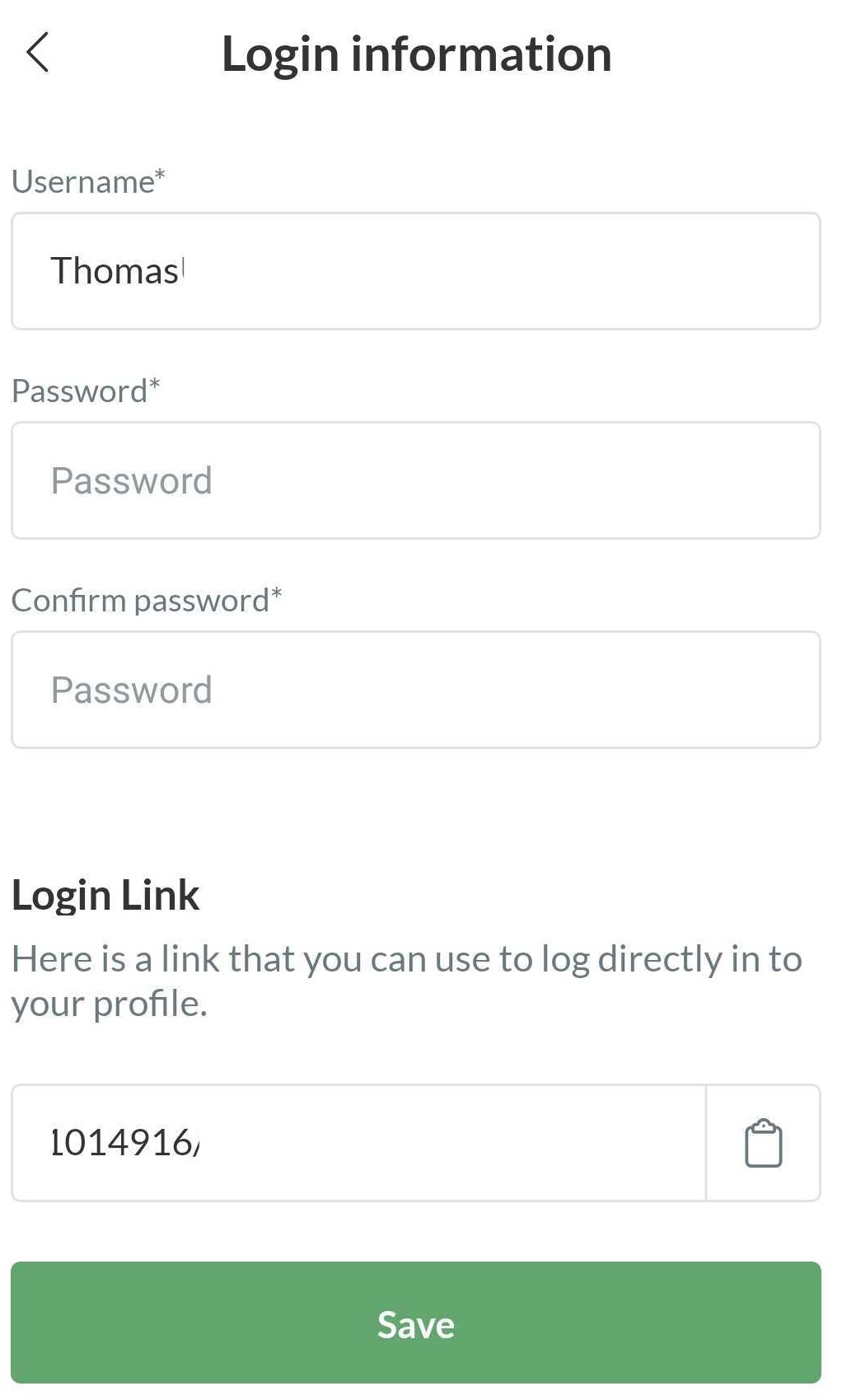
  1. Press  in the top right corner
  2. Press  PROFILE SETTINGS
  3. Press Login details
  4. Enter new password twice and finish with Save

  • TIP: Here you can also change your username if you wish


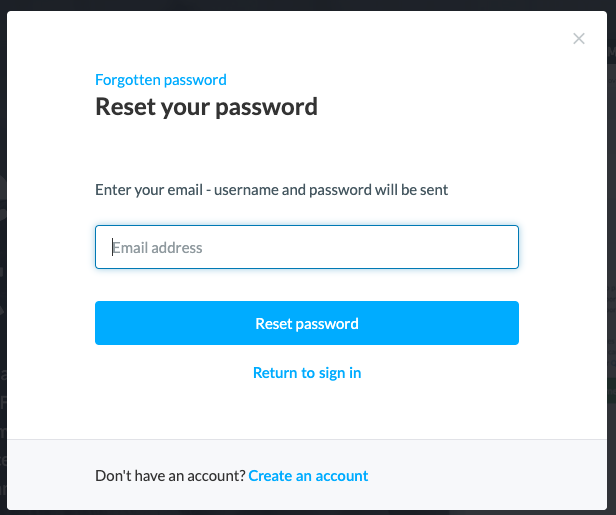
I forgot my password

Go to Log in from the front page SportMember.co.uk

  1. Click on Log in
  2. Click on Forgotten your password?
  3. Enter your email address and finish with Reset password

You will now receive an email with a link to reset your password.

You can then define a new password on SportMember.


How do I change my password?

Open Profile settings and Login details

  1. Click on your initials/picture in the top right corner
  2. Click on  Profile settings
  3. Click on Login details on the left
  4. Enter new password twice and finish with the green Save button

  • TIP: Here you can also change your username if you wish
Var denna artikel hjälpsam?
2 av 5 tyckte att det här var hjälpsamt

Är du redo att börja?

Utforska SportMember, eller skapa ett konto nu och börja hantera din klubb. Du kan också kontakta oss för att få hjälp med att starta din klubb.
Vad kostar det?
Vilka är klubbens behov? Basic- eller PRO-prenumeration?
Priser
Funktionsoversigt
Ingen klubb är den andra lik. Våra funktioner täcker dina behov.
Funktionsoversigt