How do I send emails?

Who receives emails from SportMember?

- You can emails as you wish


- Unlimited number of emails


- All members/coaches on the team are set up with an email address, so everyone can receive emails

Go to Messages

  1. Press on your Profile  in the top right corner
  2. Press Inbox
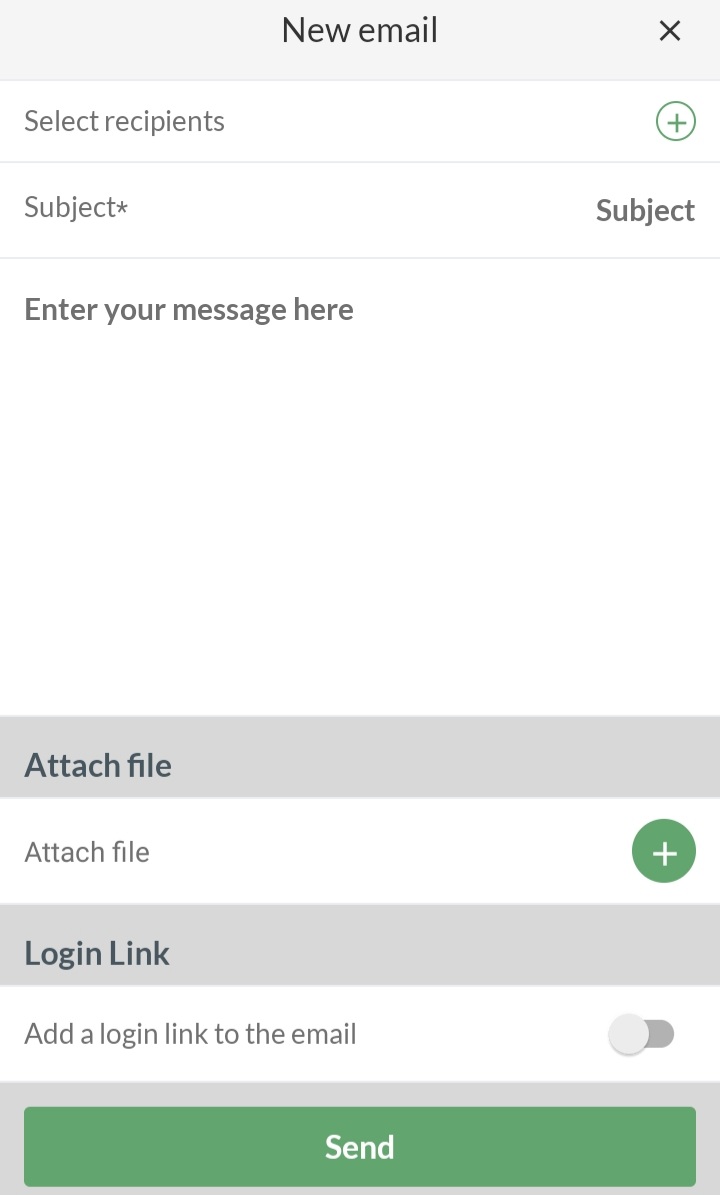
  3. Press   at the bottom right

Send email

Here you have to:

  • Select beneficiaries, which may be:
    • Your coach
    • Specific members
    • Specific parents
  • Define a title for the email in the Subject field
  • Choose which email address you want to use as sender (only applicable if you have more than 1 email address on your profile)
  • Define the content of the email
  • Add a login link to each recipient's personal SportMember profile
  • Attach a file to the mail if necessary
  • Finish with the green button Send


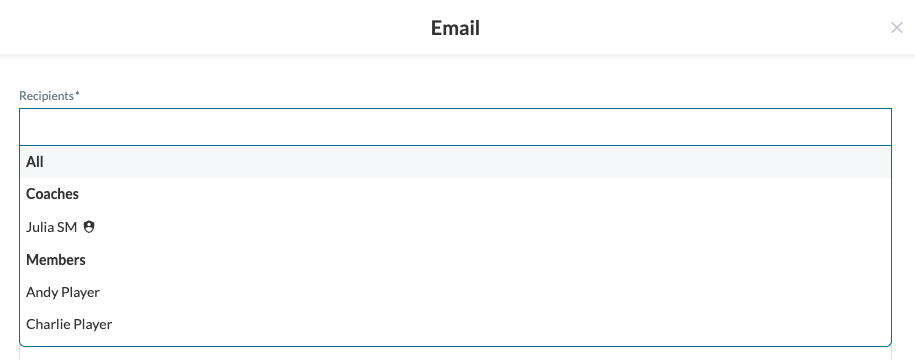
  • TIP: Select all recipients by ticking All at the top


Go to Messages

  1. Click on  on the left
  2. Click on  EMAIL on the top right 
  3. Click on the green New Email button

Send email

Here you need to:

  • Select recipients, which could be:
    • Your coach
    • Specific members
    • Specific parents
  • Define a title for the email in the Subject field
  • Choose which email address you want to use as sender (only applicable if you have more than 1 email address on your profile)
  • Define the content of the email
  • Add a login link to each recipient's personal SportMember profile
  • Attach a file to the mail if necessary
  • Finish with the green Send button
  • TIP: Select all recipients by choosing  All


Var denna artikel hjälpsam?
0 av 1 tyckte att det här var hjälpsamt

Är du redo att börja?

Utforska SportMember, eller skapa ett konto nu och börja hantera din klubb. Du kan också kontakta oss för att få hjälp med att starta din klubb.
Vad kostar det?
Vilka är klubbens behov? Basic- eller PRO-prenumeration?
Priser
Funktionsoversigt
Ingen klubb är den andra lik. Våra funktioner täcker dina behov.
Funktionsoversigt