PRO

How does the webshop work?

- Offer your members to buy club products via your own webshop on SportMember


- Only the club administrator and/or treasurer can manage products/prices/order management


- Promote new products/promotions/offers via email directly to members


- Members can pay with credit card. The cost of the administration fee is either the club's or the member's


- Create optional products individually or as sets (e.g. game sets) in an unlimited number
Det finns inget svar på den här frågan om användningen av SportMember från appen.

Order handling

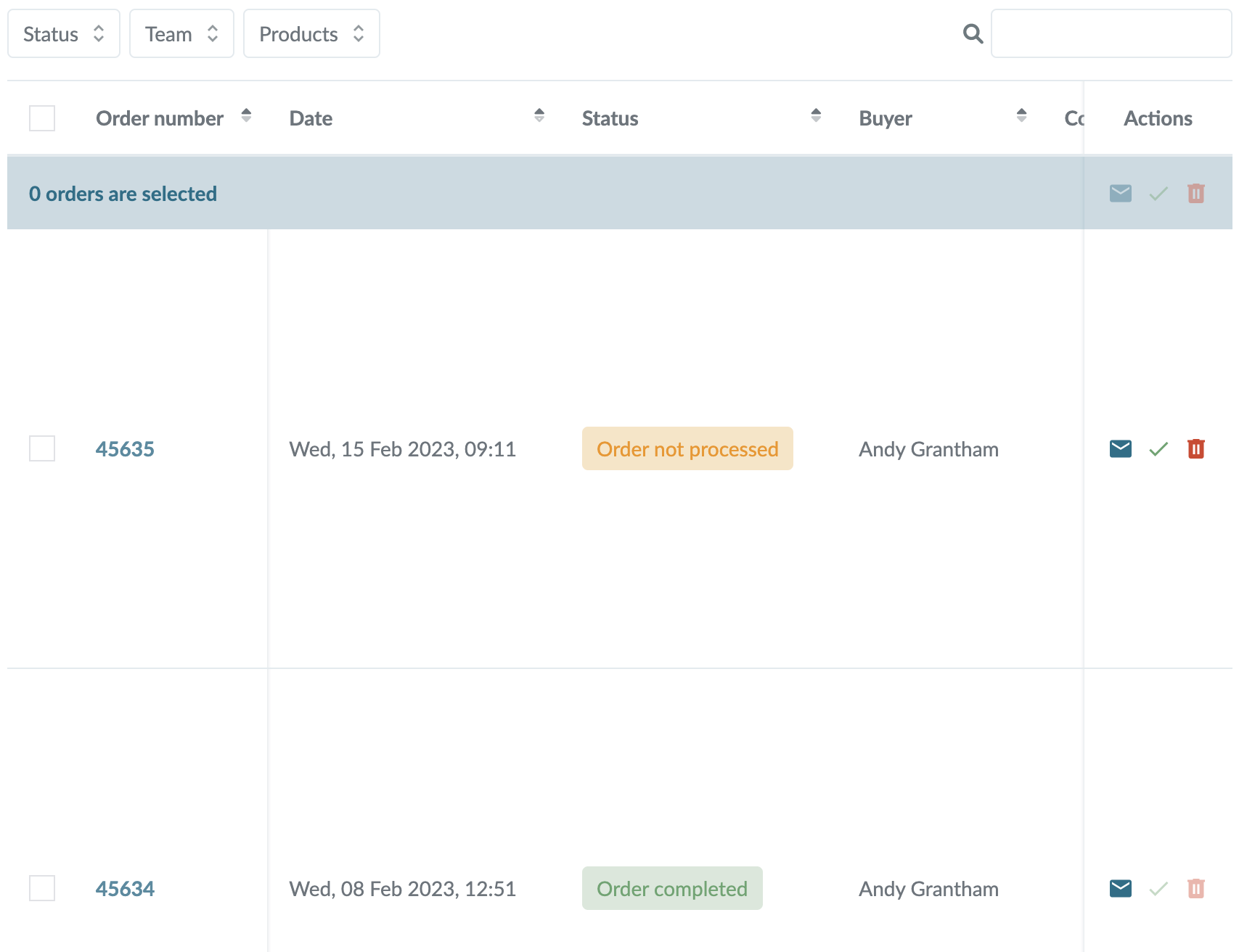
When members buy items in the club's webshop, you can see it in Orders.

Note: The money is charged immediately when the buyer completes the transaction. 


  1. Click on  in the top left corner
  2. Click on  WEBSHOP
  3. Click on Orders on the left


Here the orders are shown either with status Order not processed or Paid You now get different options in Actions on the right in the same row as the member's name:


  •  Write a message to the buyer
  • ✓ Mark the order as completed: once you have delivered the order
  •   Delete order: only possible it the money wasn't charge


TIP: The order list can be exported via Excel to the right under More


Var denna artikel hjälpsam?
0 av 0 tyckte att det här var hjälpsamt

Är du redo att börja?

Utforska SportMember, eller skapa ett konto nu och börja hantera din klubb. Du kan också kontakta oss för att få hjälp med att starta din klubb.
Vad kostar det?
Vilka är klubbens behov? Basic- eller PRO-prenumeration?
Priser
Funktionsoversigt
Ingen klubb är den andra lik. Våra funktioner täcker dina behov.
Funktionsoversigt