PRO

How do I manage my event in ticket sale?

What is ticket sale?

- Club events such as tournaments, camps, social events etc. that cost money to attend


- Anyone can sign up (including people who are NOT members of the club). You do NOT become a member of the club by signing up


- Payment is required upfront. Registration takes place via the link


- Only club administrators and ticket sales managers can create events


- Members can pay via credit card or Apple Pay/Google Pay


- You can create different ticket types/additional services depending on whether you have different contracts and offer optional add-ons


- Tickets include QR codes that you can scan via our app to give participants access to the event - Read more about it here
Det finns inget svar på den här frågan om användningen av SportMember från appen.

How do I edit an event?

  1. Click on Ticket sales in the menu on the left
  2. Click  Edit next to the event name

How do I cancel an event?

1. Click on Ticket sales in the left menu
2. Click  next to the event name to cancel it

Note: It is not possible to change the start date and time if tickets have already been sold

View registrations

  1. Click on Ticket sales in the menu on the left
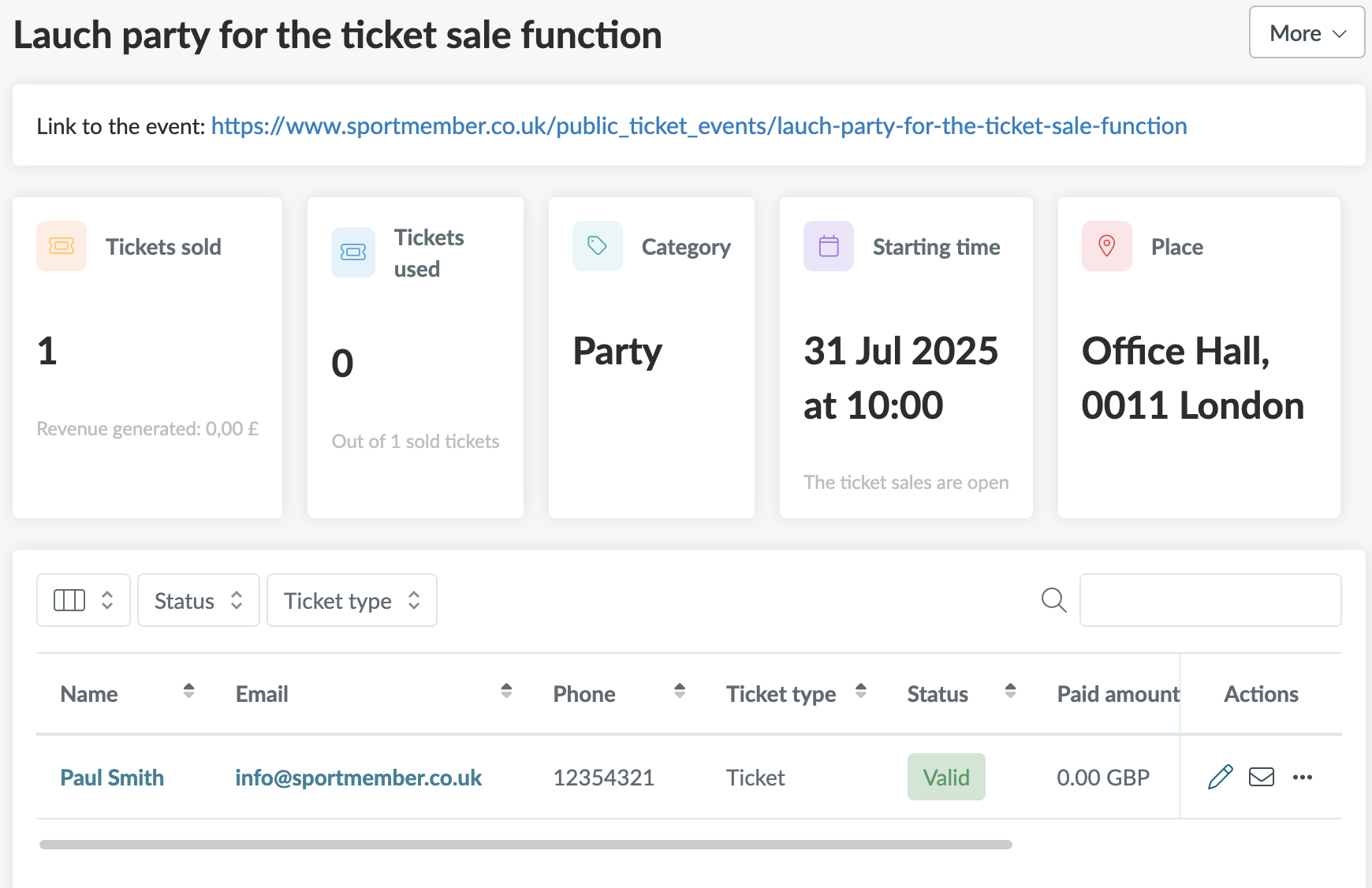
  2. Click on the event name
  • Here you can:
    • Edit the buyer's info for any spelling mistakes etc.
    • Resend tickets via email
    • Mark the ticket as used
    • Refund the ticket


  • TIP: You can export an Excel file containing information and options/options
  • TIP: You can also find all transactions under Finances and Ticket payments
Var denna artikel hjälpsam?
1 av 1 tyckte att det här var hjälpsamt

Är du redo att börja?

Utforska SportMember, eller skapa ett konto nu och börja hantera din klubb. Du kan också kontakta oss för att få hjälp med att starta din klubb.
Vad kostar det?
Vilka är klubbens behov? Basic- eller PRO-prenumeration?
Priser
Funktionsoversigt
Ingen klubb är den andra lik. Våra funktioner täcker dina behov.
Funktionsoversigt