How do I make a parent a coach in my club?

How do I make a parent a coach/member of my club?

- As an administrator, you can invite a parent who already has a profile in SportMember to become part of the club


- The parent can be invited as a member of a team or as a coach.


- The invitation is sent via email and the parent can accept it with their existing profile.

Det finns inget svar på den här frågan om användningen av SportMember från appen.

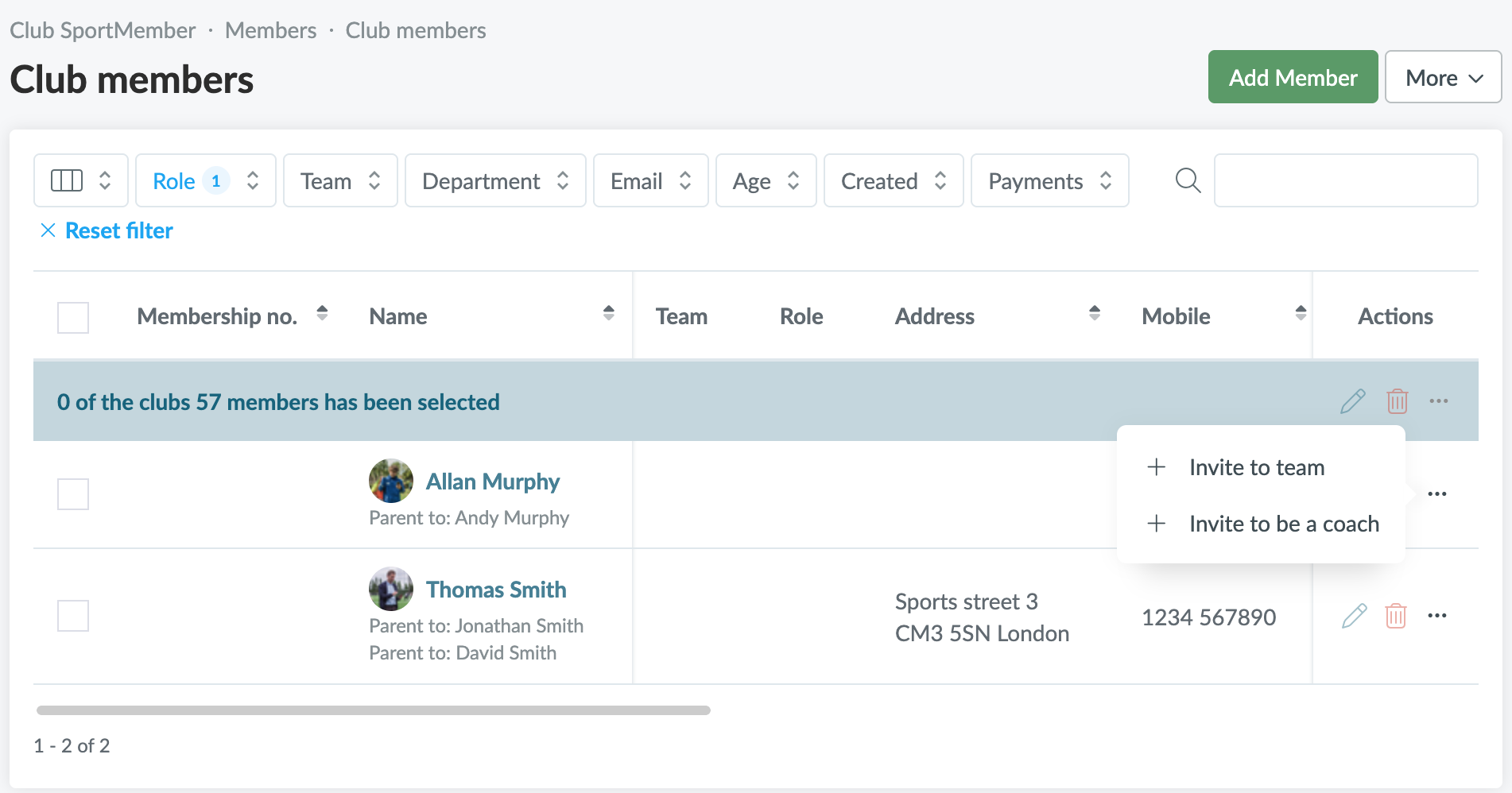
Go to club Members

  1. Click on  Club in the top left corner
  2. Click on Members
  3. Filter by Parents under Role
  4. Find the desired parent and click on 
    You will get 2 options:
    a. Invite to team: the parent joins the team as a member/player
    b. Invite to be a coach: the parent becomes a coach on a team
  5. Then select the team that the parent will be a part of.
  6. Finally, add a comment to the invitation email and press Send


The parent will receive an invitation via email and can accept it with their existing profile. When the invitation is accepted, they will be registered both as a parent and as a member or coach on the same profile.


TIP: If the parent should be a team leader, you can always invite them as a member and then change their status to team leader when they are added to the team


Var denna artikel hjälpsam?
1 av 1 tyckte att det här var hjälpsamt

Är du redo att börja?

Utforska SportMember, eller skapa ett konto nu och börja hantera din klubb. Du kan också kontakta oss för att få hjälp med att starta din klubb.
Vad kostar det?
Vilka är klubbens behov? Basic- eller PRO-prenumeration?
Priser
Funktionsoversigt
Ingen klubb är den andra lik. Våra funktioner täcker dina behov.
Funktionsoversigt