PRO

How do I define club terms that members must accept?

What are club terms used for?

- The club's own terms and conditions, which all members must read and accept in order to use SportMember/join the club


- Typically used for image acceptance on website, consent of disclosure of medical needs etc.


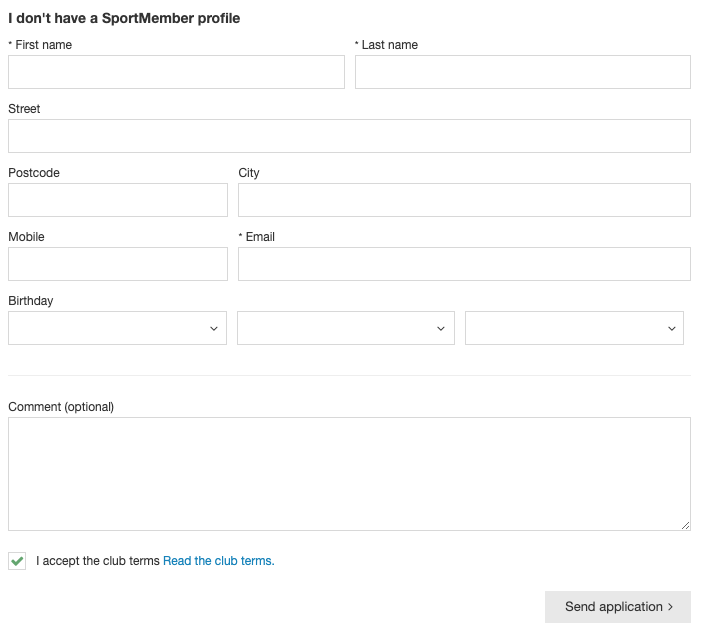
- New members must agree directly when creating on SportMember


- Existing members will be asked to accept when using the SportMember app


- If you make changes to club terms and conditions, all existing members will be asked to accept them again
Det finns inget svar på den här frågan om användningen av SportMember från appen.

Create club conditions


Open Club Settings and Club Conditions

  1. Click on  at the bottom left
  2. Click on Club Conditions on the left
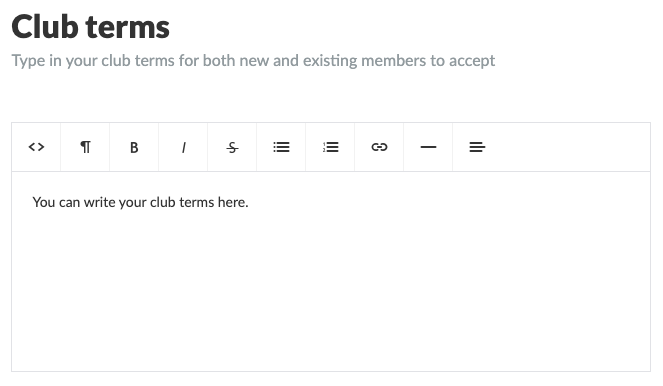
  3. Define your club conditions and finish with the green Save button


  • TIP: Use bold, italics, bullets, numbering, links etc. as you wish


Once you have created the club terms, it will show up in three places:

1) On registration forms on the club website, if you are using the SportMember's website module. All new members MUST accept before team request.


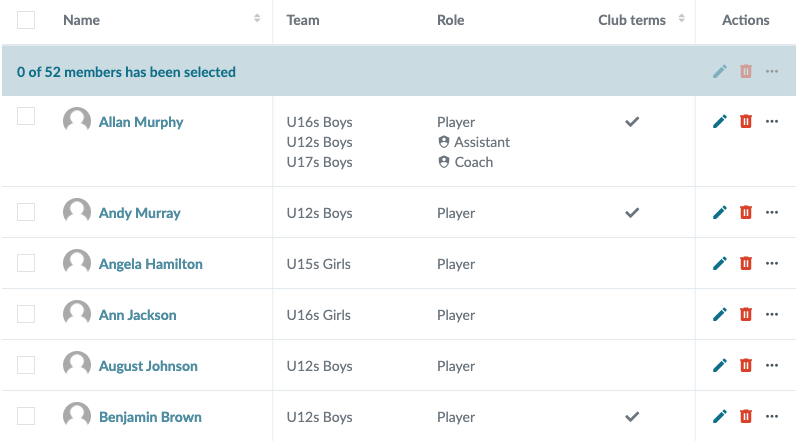
2) In the club membership list on Holdsport. AClub Terms column will appear here, with the field either blank if the member has NOT yet accepted club terms, and checked if the member has accepted club terms.


3) On the member's app, where all existing members are asked to read and accept the club terms.


Note: If you change the text in the club terms, all members will be asked to accept them again. In your member overview, everyone will be unchecked again.


Var denna artikel hjälpsam?
0 av 0 tyckte att det här var hjälpsamt

Är du redo att börja?

Utforska SportMember, eller skapa ett konto nu och börja hantera din klubb. Du kan också kontakta oss för att få hjälp med att starta din klubb.
Vad kostar det?
Vilka är klubbens behov? Basic- eller PRO-prenumeration?
Priser
Funktionsoversigt
Ingen klubb är den andra lik. Våra funktioner täcker dina behov.
Funktionsoversigt